


You can easily update your personal details during the Re-KYC process through the Samco Star Back Office by following the steps below:
Step-by-Step Process:
- Log in to Samco Star Back Office.
- Enter your Client ID and Password to log in.
- (The default password is your PAN number, if not changed earlier.)
- Click on “Update Details” available in the top-right corner.
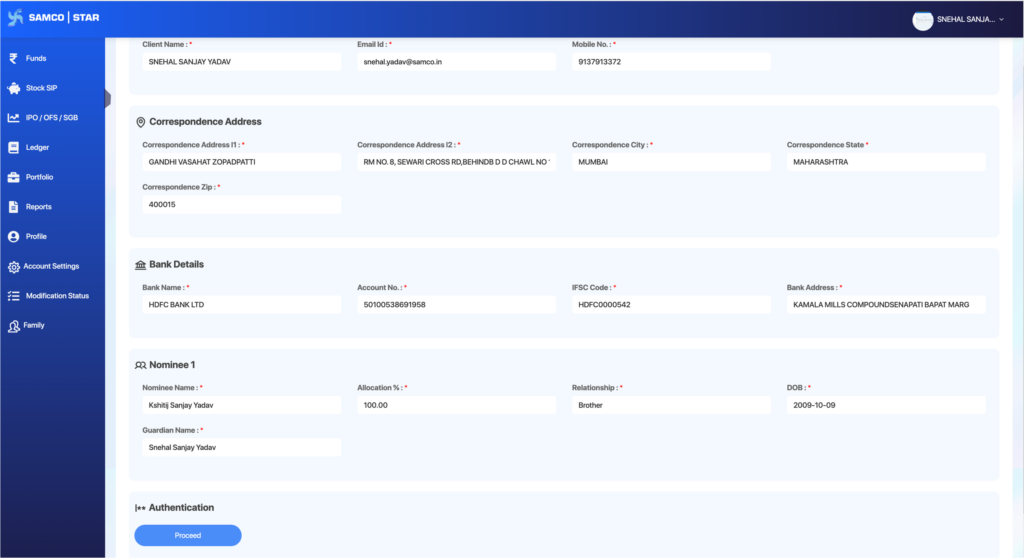
- Verify and update your personal details, such as:
- Email ID
- Mobile Number
- Address
- Nominee details
- Trading segments (Equity, F&O, Currency, Commodity)
- Upload relevant supporting documents, if any changes are made.
- You may also be required to complete E-sign verification.
- Complete the In-Person Verification (IPV) process.
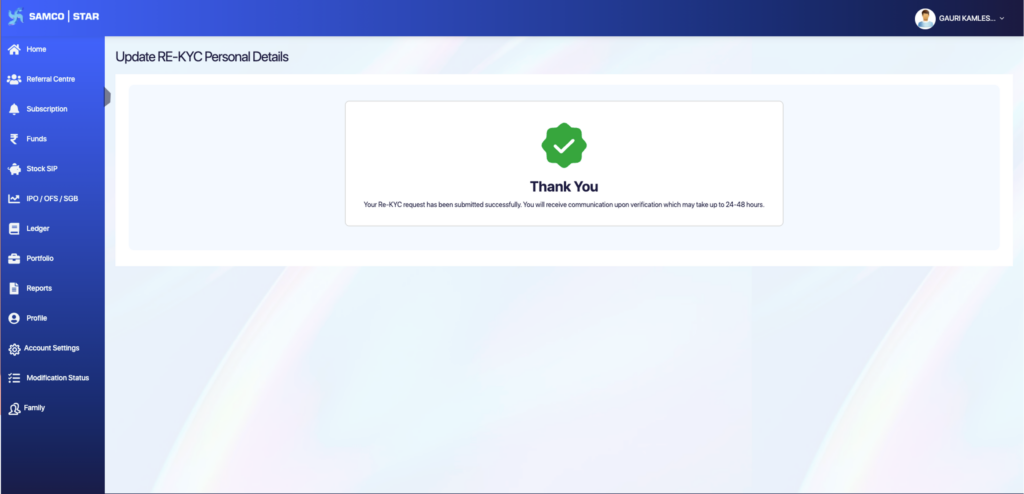
- Submit the request and wait for verification.
You can refer to the image below to understand how the Re-KYC process appears.
Completing Re-KYC through the Samco Star Back Office ensures your trading account remains active and compliant.Please ensure that all details provided are accurate and documents uploaded are clear to avoid delays.
Verification is usually completed within 24 to 48 working hours. If you face any issues during the process, please contact the support team for assistance.
 Easy & quick
Leave A Comment?