


Yes, you can rename or delete any watchlist on the Samco app. Both options are available from the watchlist settings menu.
How to Rename a Watchlist
- Open the Watchlist tab and go to the list you want to rename.
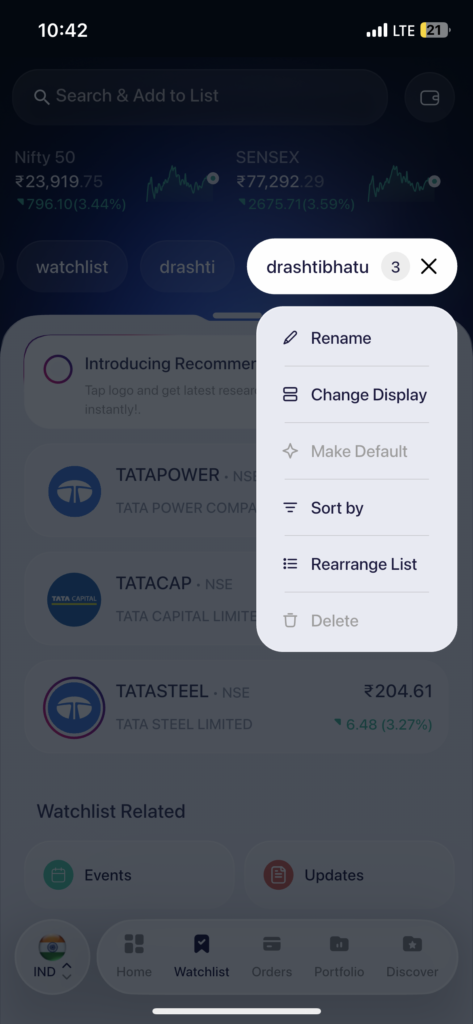
- Tap the settings icon (the filter/settings icon next to the watchlist name tab).
- Tap “Rename” from the menu.
- Enter the new name and confirm.
How to Delete a Watchlist
- Open the Watchlist tab and go to the list you want to delete.
- Tap the settings icon next to the watchlist name.
- Tap “Delete” from the menu.
- Confirm the deletion – the list and all stocks in it will be removed.
Deleting a watchlist removes it permanently. This only removes the list itself; your holdings, orders, and portfolio are not affected. If you want to keep the stocks but start fresh, consider removing individual scrips instead of deleting the whole list.
 Easy & quick
Leave A Comment?