


Placing an order on the Samco app is straightforward. Here is how you do it:
- Open the Samco app and search for the stock you want to trade using the search bar, or tap on it directly from your Watchlist
- Tap on the stock to open its details page
- Tap the Buy or Sell button
- Select your product type – Delivery, Intraday, MTF, Cover, or Bracket
- Enter the quantity you want to buy or sell
- Select your order type – Mkt, Limit, SL-M, or SL
- Enter the price if you are placing a Limit or SL order
- Review the funds required and tap the Buy or Sell button to submit your order
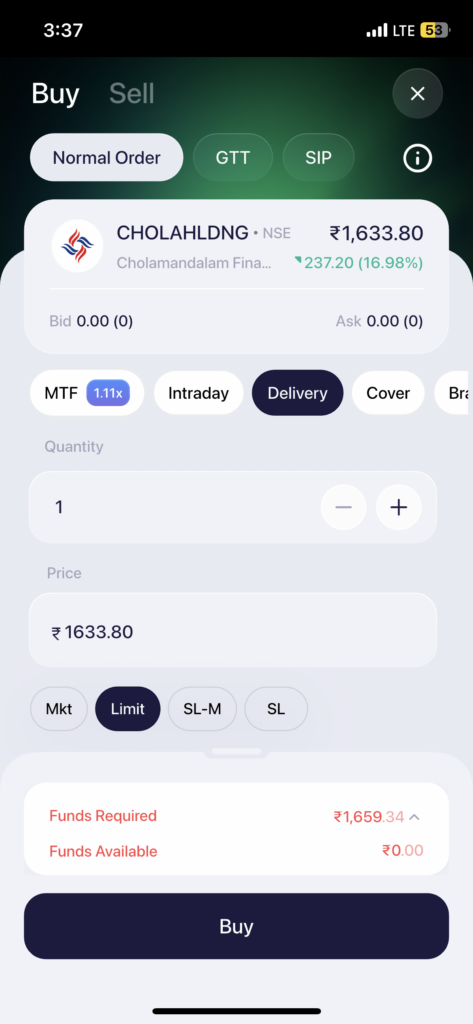
Once submitted, your order is sent to the exchange. You can track its status in real time from the Orders tab at the bottom of the app.
 Easy & quick
Leave A Comment?