



How do I activate US Stocks trading on my Samco account?
To activate US Stocks trading on Samco, you must have an active Samco Indian trading account. If you don’t have one, open your account at www.samco.in first.
Once your Indian trading account is active, follow these steps:
Step 1: Switch to US Stocks


Tap the ‘IND’ toggle on the bottom navigation bar to switch to the US Stocks section. Tap on ‘Start KYC’ to begin the activation process.
Step 2: Fill in your Professional Details
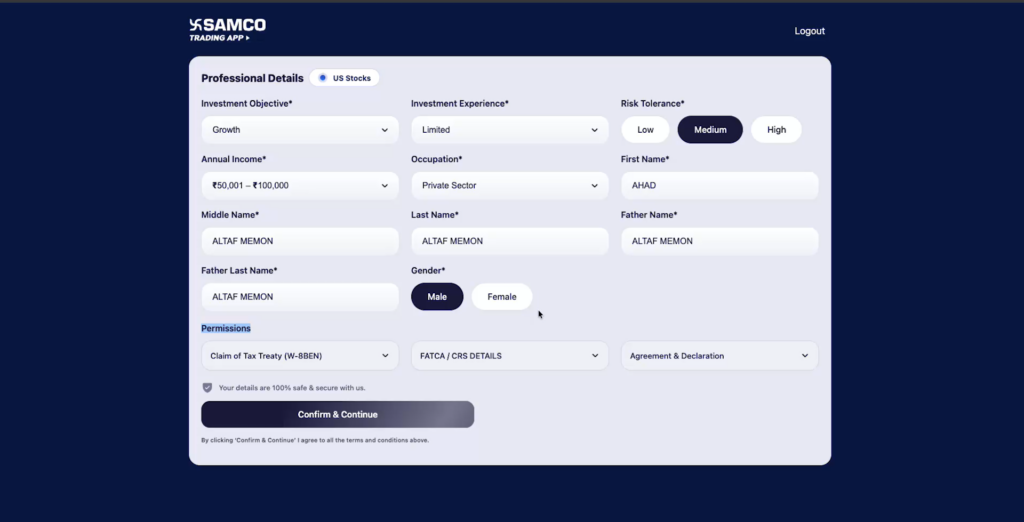
Your details will be pre-filled from your KRA records. Verify the following and update only if something has changed:
- Investment objective, experience and risk tolerance
- Annual income and occupation
- Personal details — Name, Father’s name, Gender
Step 3: Confirm FATCA / CRS Details
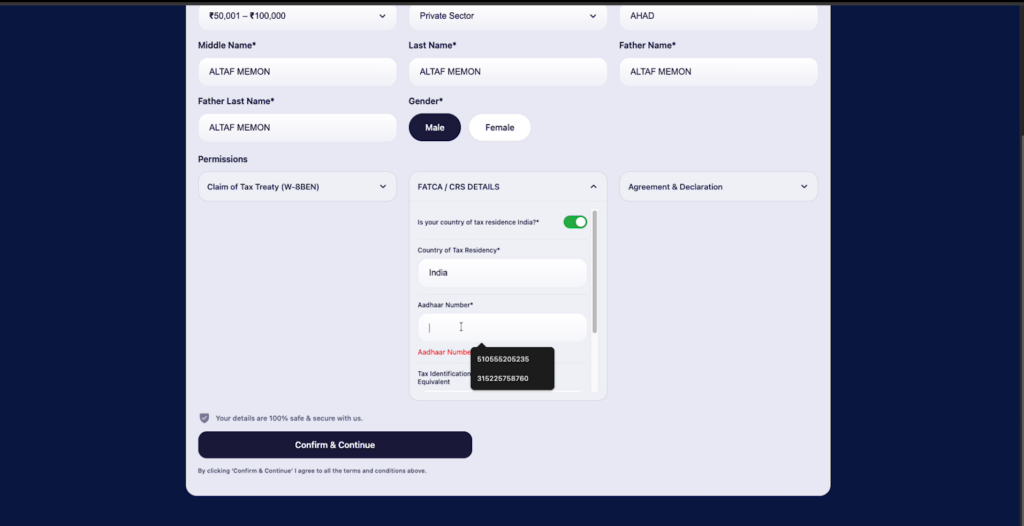
All details will be pre-filled. You only need to enter your Aadhaar number manually and click Confirm & Continue.
Step 4: Add your Signature
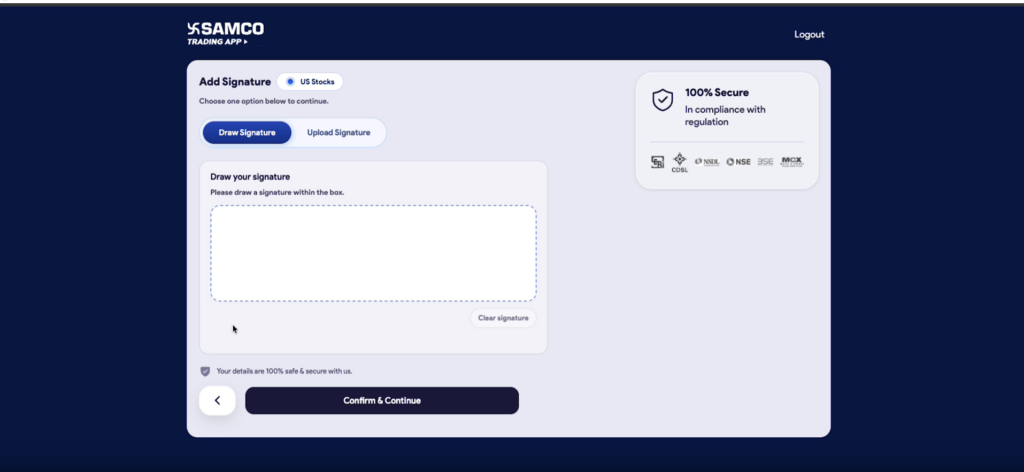
Choose one of the two options:
- Draw Signature — Draw your signature within the box
- Upload Signature — Upload an image of your signature
Once done, click Confirm & Continue.
Step 5: Complete KYC Verification
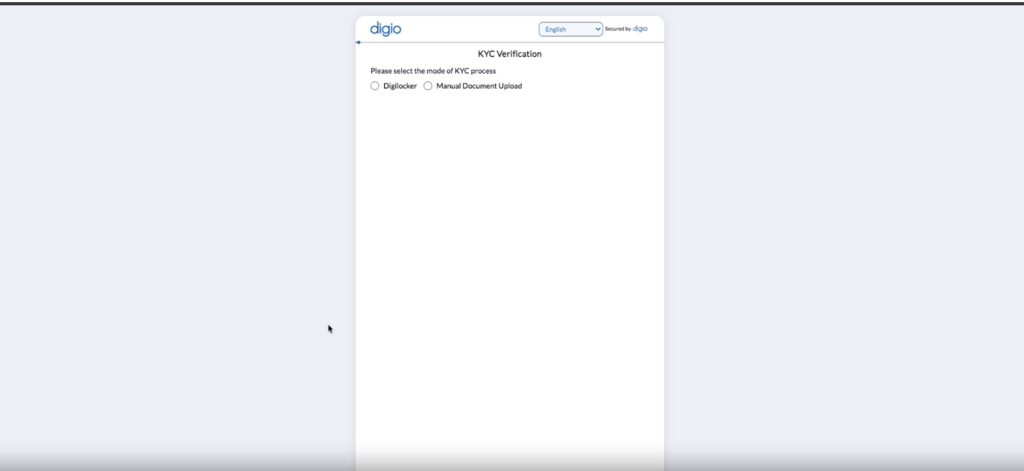
Select your preferred KYC method:
- DigiLocker : Faster and paperless. Your documents are fetched automatically.
- Manual Document Upload : Upload your PAN card and Aadhaar card (front and back) manually.
If you selected DigiLocker:
- Enter your 12-digit Aadhaar number
- Enter the OTP sent to your Aadhaar-linked mobile number
- Enter your 6-digit DigiLocker Security PIN
- Select the requested documents and tap Allow to share with Samco
If you selected Manual Document Upload:
- Upload a clear image of your PAN card (JPG, PNG or PDF — 100 KB to 9 MB)
- Verify the auto-filled details : Name, Father’s Name, DOB & PAN Number
- Upload front and back of your Aadhaar card
- Verify the auto-filled details and click Confirm & Submit
Step 6: Activation Complete

Once KYC is successfully completed, do not close the window and you will be automatically redirected. Your US Stocks account will be activated within 30–60 minutes during business hours.
Still have questions? We've got you
Just raise a ticket and our support team will get back to you with exactly what you need.