


How can I contact my Relationship Manager on the Partner Portal?
Your Relationship Manager’s details are always one click away.
Where to find it: Profile icon, or Support > Contact your RM
Steps
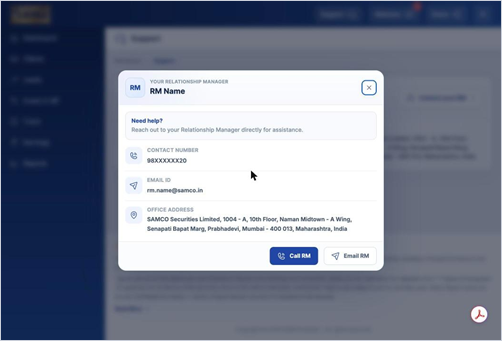
- Click the profile icon at the top right to see your RM’s name, email and mobile number.
- Or go to Support and click Contact your RM.
- Click Call RM or Email RM to get in touch.
Still have questions? We've got you
Just raise a ticket and our support team will get back to you with exactly what you need.