


How can I download a Capital Gains and Loss report on the Partner Portal?
The Capital Gains & Loss report helps your client with tax filing.
Where to find it: Reports > Capital Gains & Loss
Steps
- Click Reports and select Capital Gains & Loss.
- Choose the search type (Client Code, Client Name or Client PAN) and enter the value.
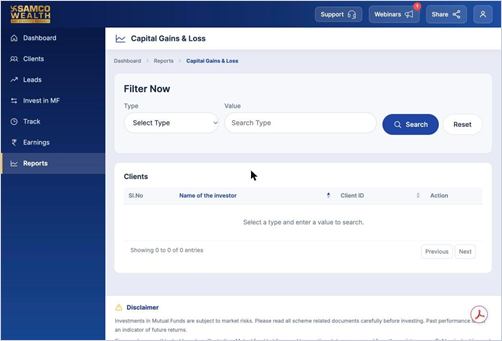
- Click Search.
- Download the report for the client.
Still have questions? We've got you
Just raise a ticket and our support team will get back to you with exactly what you need.