


How can I add or update my GST number on the Partner Portal?
You can add or update your GST number from your profile. Once our team verifies it, it is used on your invoices.
Where to find it: Profile icon > My Profile > GST
Steps
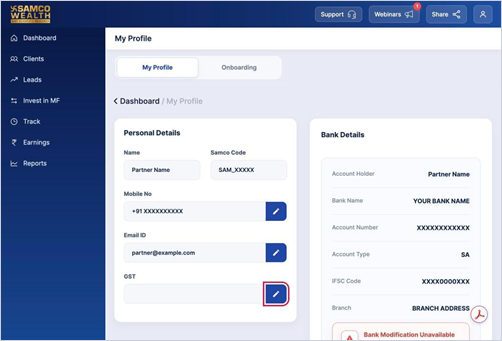
- Click the profile icon at the top right and select My Profile.
- Under Personal Details, click the pencil icon next to GST.
- Enter your GST number in the Update GST window.
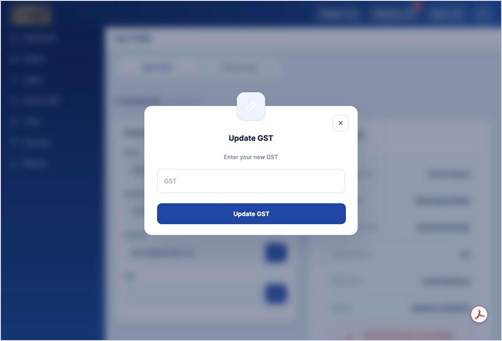
- Click Update GST and upload your GST certificate
Good to know - The GST number should be registered under the same PAN as your partner account.
- GST updates are reviewed by our team, usually within 24 hours.
Still have questions? We've got you
Just raise a ticket and our support team will get back to you with exactly what you need.