


I see a “Core” tag on my profile, what does my partner tier mean on the Partner Portal?
The tag below your name in the profile menu shows your current partner tier. For details on what your tier means and the benefits linked to it, please speak to your Relationship Manager.
Where to find it: Profile icon (top right)
Steps
- Click the profile icon at the top right. Your tier tag appears below your name and Samco Code.
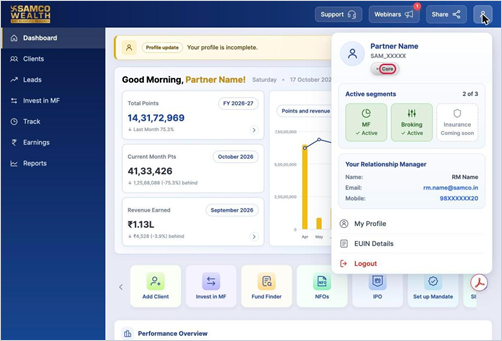
- Your Relationship Manager’s name, email and mobile number are shown in the same menu.
Still have questions? We've got you
Just raise a ticket and our support team will get back to you with exactly what you need.