


How can I build a custom basket and place an order for a client on the Partner Portal?
A custom basket lets you combine several schemes into one order for a client, with SIP or Lumpsum chosen for each scheme.
Where to find it: Invest in MF > Create Custom Basket
Steps
- Click Invest in MF and select Create Custom Basket.
- Search for your client by name, client code, mobile number or PAN, and select them.
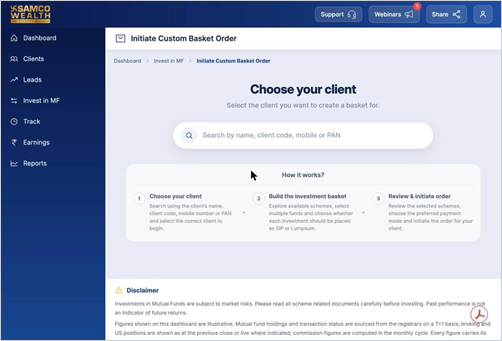
- Explore schemes, add the ones you want and choose SIP or Lumpsum for each.
- Review the basket, choose the payment mode and initiate the order.
Good to know
- An OTM mandate is needed for SIP orders. If the client does not have one, you will see a Set Up Mandate prompt.
Still have questions? We've got you
Just raise a ticket and our support team will get back to you with exactly what you need.