


How can I check the approval status of my EUIN on the Partner Portal?
Every EUIN or SIF record you submit is reviewed by our team, usually within 24 hours, and listed on the EUIN Details page with its current status.
Where to find it: Profile icon > EUIN Details > My EUIN & SIF Records
Steps
- Click the profile icon at the top right and select EUIN Details.
- Scroll to My EUIN & SIF Records.
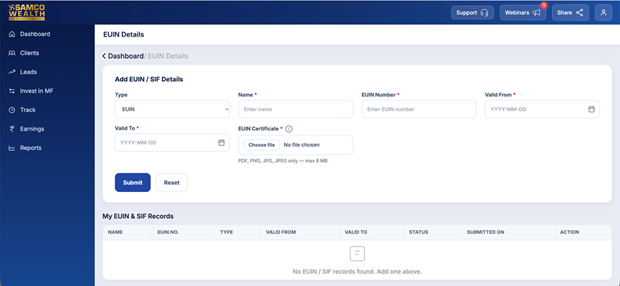
- Check the Status column. You can also see the Type, validity dates and the date you submitted it.
Still have questions? We've got you
Just raise a ticket and our support team will get back to you with exactly what you need.