


How can I find the User Tutorials videos on the Partner Portal?
User Tutorials are short videos that walk you through the portal, such as adding leads, downloading SIP reports and tracking your earnings. You can watch them any time from your Dashboard.
Where to find it: Dashboard > User Tutorials (bottom of the page)
Steps
- Click Dashboard in the left menu.
- Scroll down to the User Tutorials section.
- Please add new print screen with user tutorials images.
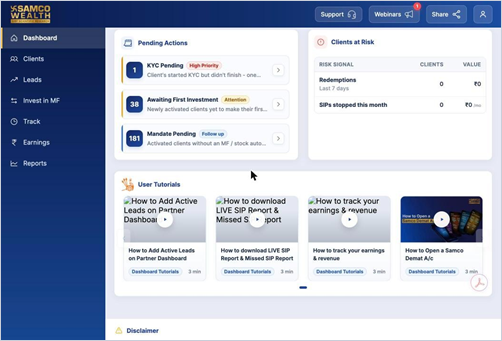
- Click the play button on any video. Each card shows the topic and the video length.
- Use the arrows on either side to see more videos.
Still have questions? We've got you
Just raise a ticket and our support team will get back to you with exactly what you need.