


How can I share my personalised partner website link on the Partner Portal?
Once your microsite is live, you can copy or share its link from any page.
Where to find it: Share (top bar) > Personalized Partner Website
Steps
- Click Share at the top of the page.
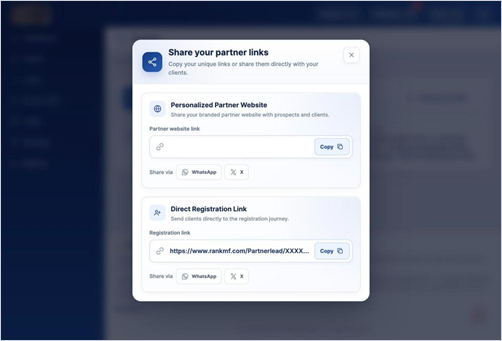
- Under Personalized Partner Website, click Copy to copy your link.
- Paste it anywhere you like, or click WhatsApp or X to share it directly.
Good to know
- If the website link is empty, finish setting up your brand profile under My Profile > Onboarding first.
Still have questions? We've got you
Just raise a ticket and our support team will get back to you with exactly what you need.