


How can I see the brokerage generated by each client on the Partner Portal?
Each client’s profile shows the brokerage they have generated.
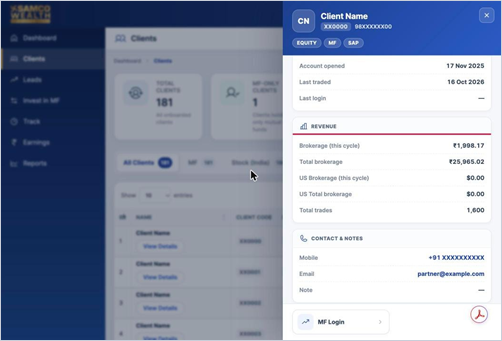
Where to find it: Clients > View Details > Revenue
Steps
- Click Clients in the left menu.
- Click View Details under the client’s name.
- Scroll to the Revenue section to see Brokerage (this cycle), Total brokerage, US Brokerage (this cycle), US Total brokerage and Total trades.
Good to know
- For a detailed breakdown of your earnings, please contact your Relationship Manager.
Still have questions? We've got you
Just raise a ticket and our support team will get back to you with exactly what you need.