


How can I set my MPIN for the first time on the Partner Portal?
Your MPIN is a PIN you create for quick, secure logins. You set it once from the login page.
Where to find it: Login page > Set MPIN
Steps
- On the Partner Login page, click Set MPIN.
- Enter your Partner Code and click Send OTP. The OTP is sent to your registered mobile number and email ID.
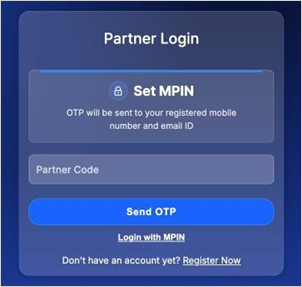
- Enter the OTP and click Verify OTP.
- Enter your New MPIN, enter it again under Confirm MPIN, and click Save MPIN.
Good to know
- Your MPIN should be 6 digits.
- Choose an MPIN that is easy for you to remember but hard for others to guess, and never share it.
Still have questions? We've got you
Just raise a ticket and our support team will get back to you with exactly what you need.