


How can I update my registered mobile number or email ID on the Partner Portal?
You can update both from My Profile. For your security, an OTP is sent to the new mobile number or email ID to confirm the change.
Where to find it: Profile icon > My Profile > Mobile No / Email ID
Steps
- Click the profile icon at the top right and select My Profile.
- Click the pencil icon next to Mobile No or Email ID.
- Enter the new mobile number or email ID and click Update Mobile Number or Update Email ID.
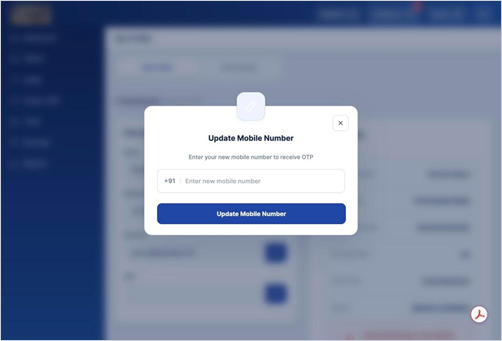
- Enter the OTP sent to your new mobile number or email ID and click Verify OTP.
Good to know
- Did not get the OTP? Click Resend OTP after 60 seconds.
- Entered the wrong number? Click Edit on the OTP screen.
Still have questions? We've got you
Just raise a ticket and our support team will get back to you with exactly what you need.