


How can I choose my business segments during empanelment on the Partner Portal?
You choose the business segments you want to work in: Equity / Broking and Mutual Funds.
Where to find it: Empanelment > Step 3 of 6 > Select Business Segment
Steps
- Equity / Broking is switched on by default. Switch it off if you do not want to offer Broking.
- Switch on Mutual Funds if you want to distribute mutual funds.
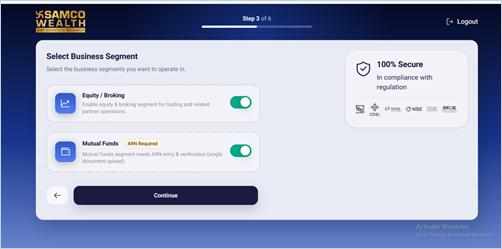
- Click Continue.
Good to know
- Broking is not mandatory. You can choose Broking, Mutual Funds or both.
- Mutual Funds needs your ARN and a supporting document, which you add in the next step.
- If you skip a segment now, you can activate it later from your dashboard.
Still have questions? We've got you
Just raise a ticket and our support team will get back to you with exactly what you need.