


How can I e-sign my empanelment application on the Partner Portal?
The last step is to sign your application digitally using Aadhaar e-sign.
Where to find it: Empanelment > Step 6 of 6 > E-Sign
Steps
- Tick the box to agree to the terms and conditions and click Proceed to E-Sign.
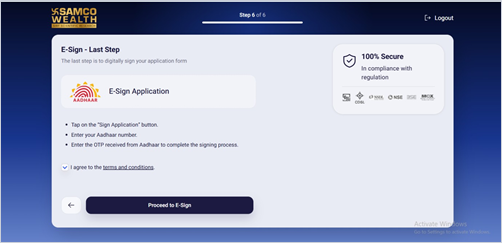
- Review the agreement and click Sign Now.
- Enter your Aadhaar number or VID, tick the consent box and click Get OTP.
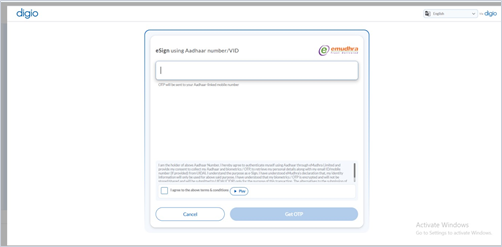
- Enter the OTP sent to your Aadhaar-linked mobile number and click Verify OTP.
Good to know
- Keep your Aadhaar-linked mobile number with you to receive the OTP.
- If the OTP does not arrive, wait for the timer and click Resend OTP.
Still have questions? We've got you
Just raise a ticket and our support team will get back to you with exactly what you need.