


How can I track the form stages of a lead such as PAN, Bank, Upload and Review on the Partner Portal?
The Active Leads list shows how far each lead has reached in the account opening form.
Where to find it: Leads > Active Leads
Steps
- Click Leads in the left menu.
- Check Form Completion for the percentage done, and Form Status for the current stage.
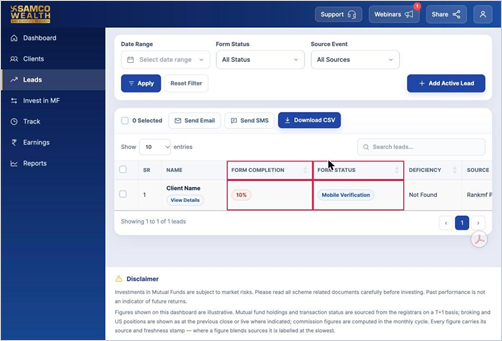
- To see leads at a particular stage, choose it under Form Status and click Apply.
Good to know
- Form stages in order: Registered, PAN, Personal, Communication, Email Verification, Bank, Trading, Upload, Review and Tabs Completed.
Still have questions? We've got you
Just raise a ticket and our support team will get back to you with exactly what you need.