


I see a message that my PAN name and bank account holder name do not match, what should I do on the Partner Portal?
The name on your bank account must match the name on your PAN. If they do not match, a message shows both names and asks you to upload a valid document.
Where to find it: Empanelment > Step 2 of 6 > Bank Details
Steps
- Click OK on the message.
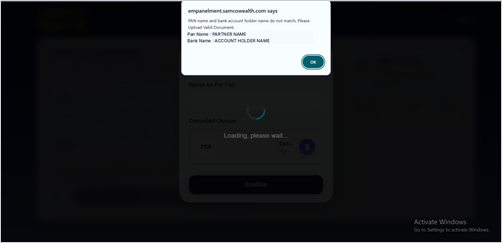
- Upload a cancelled cheque for a bank account held in your own name, as per your PAN.
- Click Confirm.
Still have questions? We've got you
Just raise a ticket and our support team will get back to you with exactly what you need.